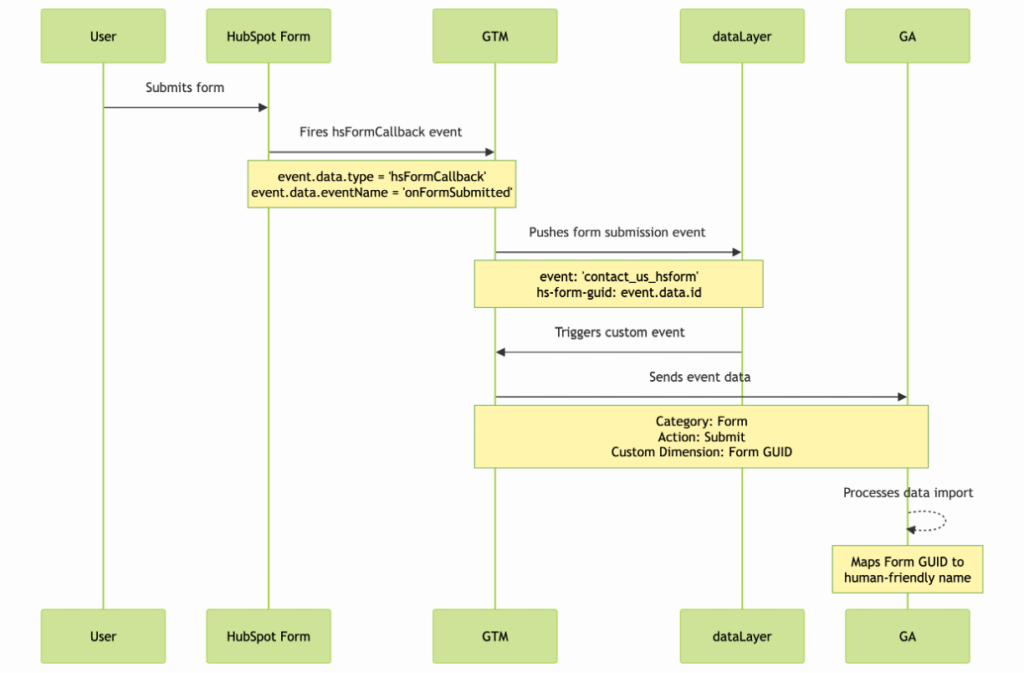
Requirements
- Google Tag Manager
- Google Analytics
- Access the website page.
Checklist
- [ ] Create a Google Tag and include code
- [ ] Create a tag with code to register the event.
- [ ] Create a variable to store the form ID.
- [ ] Create a trigger with the custom event
- [ ] Create another tag to trigger the event in google Analytics
Tag 1 : Create a tag with Custom code
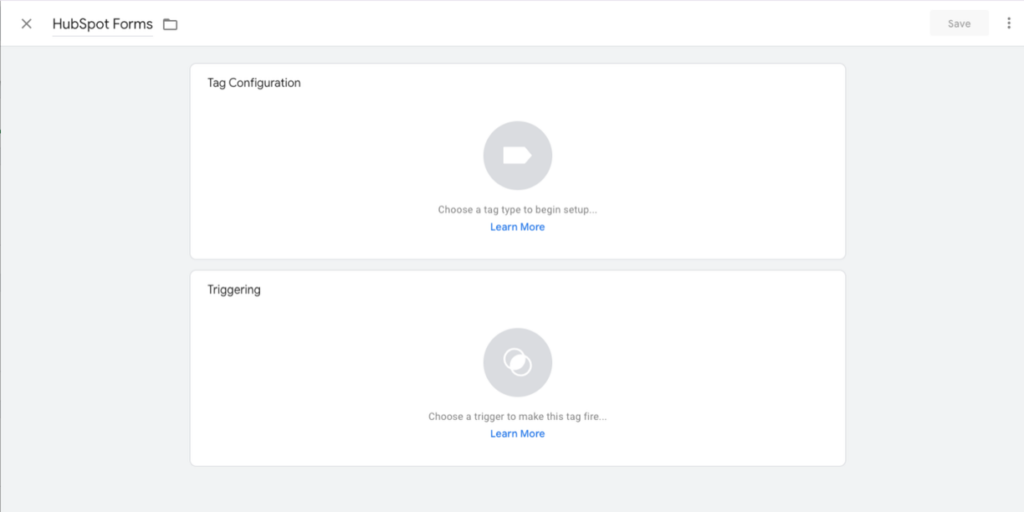
We create a new tag, we go to Google Tag Manager → New tag. In tag configuration, we click and select Custom HTML, we paste the following code making sure to add the event name.
also, select the triggering —> All Pages.
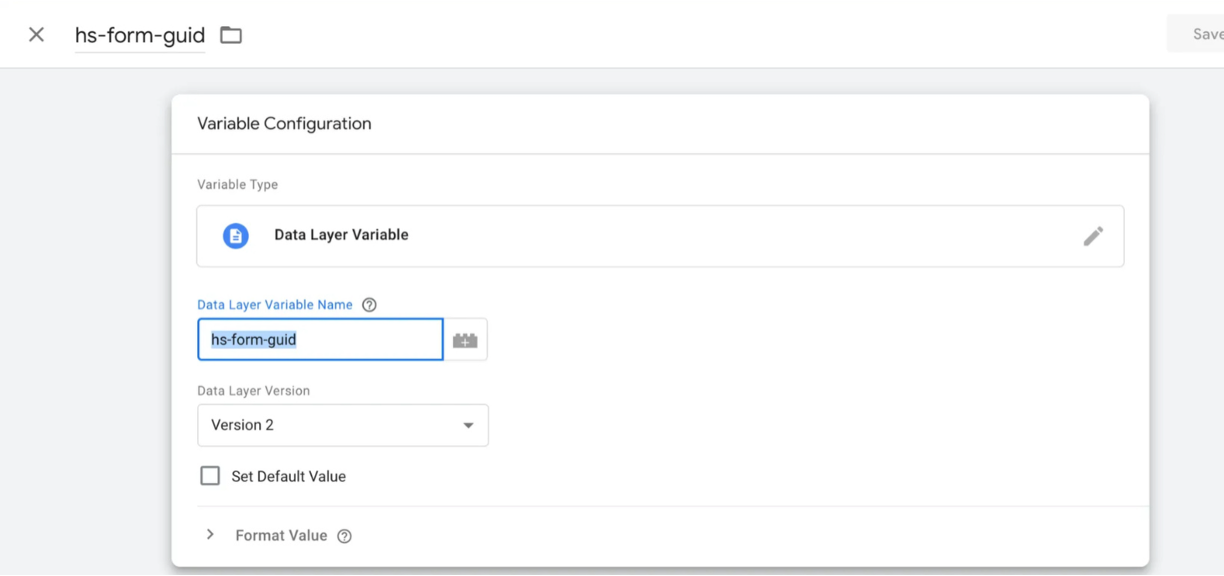
Variable: Create a variable to read the HubSpot Form ID
go to the variables option and click on new. We select Data Layer Variable and add the name we receive from the form which corresponds to “hs-form-guid”.
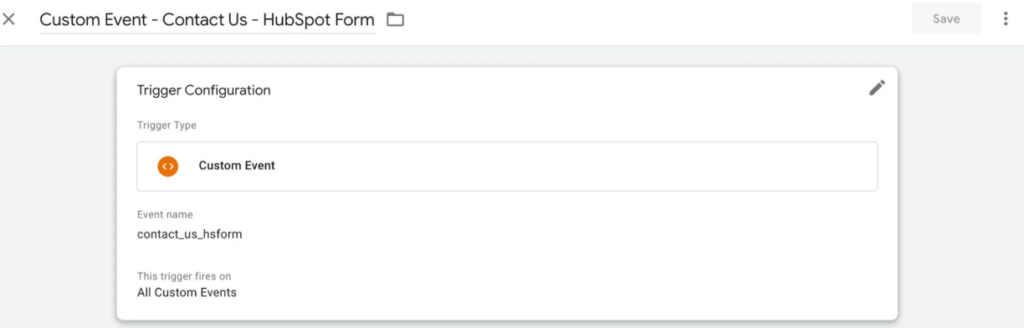
Trigger: Create a new trigger
Go to the triggers option -> new and there select the Custom event option and add the event name that corresponds to the event name in the code.
Tag 2: Configure the event in Google Analytics
Go to “Tags” and select the “new” option.
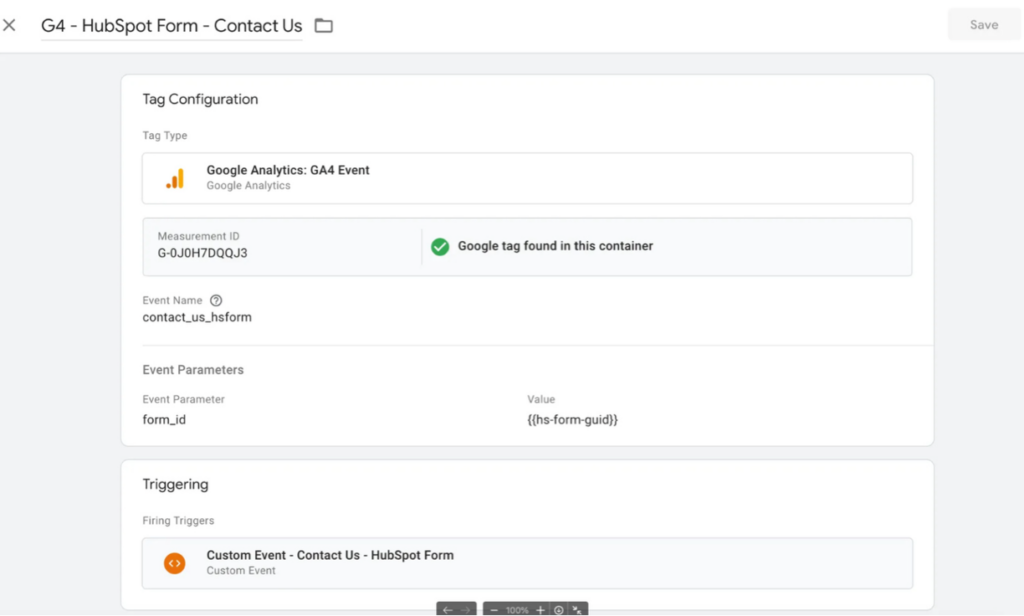
Select “Google Analytics” → Google Analytics: GA4 Event. Configure the measurement ID with your Google Analytics ID. Add the event name you have in the code and include the parameter “form_id” with the variable we previously configured.
Set the triggering to the custom event we set up earlier.
In the video you will find how to check if the tag was configured correctly.